Custom software has a reputation for being expensive and unpredictable. Sometimes that reputation is earned, usually when nobody agreed on what was being built. The good news is that cost follows a few clear drivers. Once you understand them, you can control the budget instead of being surprised by it.
This guide explains what drives the cost, how pricing models work, and how to start small without wasting money.
Why there's no single price
Custom software is built around your workflow, so two projects with the same name can be very different in size. A "client portal" can be a simple page where clients download files, or a full system with approvals, payments, and reports.
That's why an honest answer to "how much does custom software cost?" always starts with questions about what it needs to do.
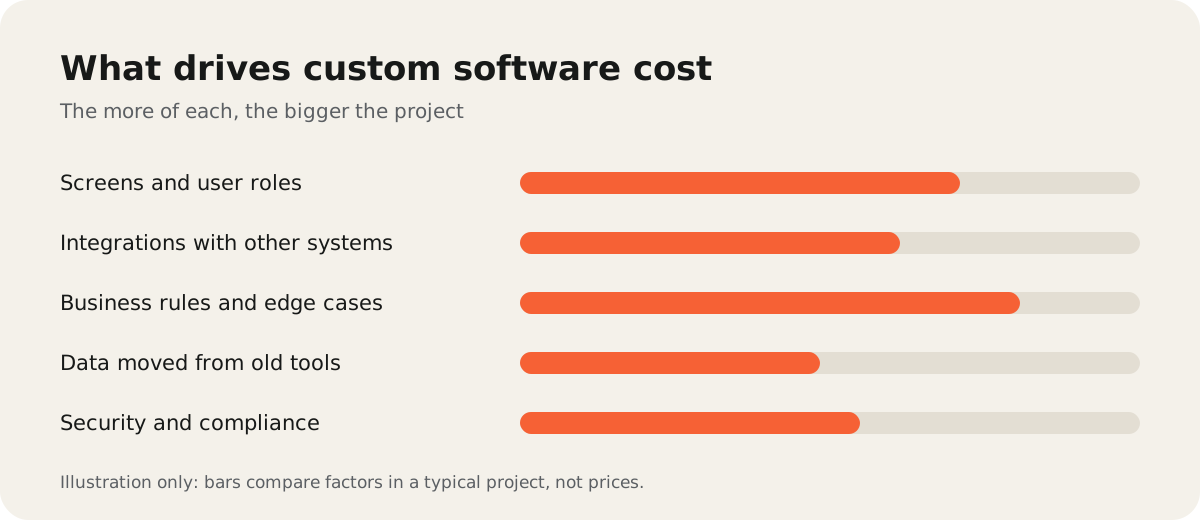
The five things that drive the cost
1. Screens and user roles. Each screen needs design, building, and testing. Each role, such as admin, staff, and client, needs its own permissions and views.
2. Integrations. Connecting to your accounting tool, CRM, payment provider, or an old database adds work, especially if the other system has a poor API.
3. Business rules. Discounts, approvals, exceptions, and "except when…" cases are where most hidden effort lives. Writing them down early saves money.
4. Data migration. Moving years of data out of spreadsheets or an old system means cleaning duplicates and checking it carefully.
5. Security and compliance. Handling payments, personal data, or health information needs extra care, testing, and sometimes audits.
Common pricing models
| Model | How it works | Works best when |
|---|---|---|
| Fixed price | One price for an agreed scope | The scope is small and clear |
| Time and materials | You pay for the time spent | Requirements will change as you learn |
| Phased | A fixed first phase, then the next phase is planned | You want to start small and prove value |
A phased approach often gives the best balance: a clear budget for the first version, and freedom to change direction once real people use it.
Costs after launch
Software needs care after it goes live. Budget for:
- Hosting and services like the database, email sending, and file storage.
- Maintenance for security updates and library upgrades.
- Support when users have questions or something breaks.
- Improvements as your team asks for new features.
A system that nobody maintains slowly becomes the next problem you need to replace.
How to start small and control the budget
- Pick one painful process. For example, the spreadsheet everyone fights with.
- Map how it works today. Who does what, with which data, and where it goes wrong.
- Build the smallest useful version. One or two screens that replace that process.
- Use it for a few weeks. Real feedback is cheaper than guessing.
- Plan the next step from what you learned.
This keeps each step affordable and makes sure you pay for features people actually use.
Is custom software worth it?
It's worth it when the cost of the current way of working is higher than the cost of building. Look at the hours spent on copy-paste, the errors that reach customers, and the per-user fees for tools that don't fit. If those are small, a ready-made tool may be the better choice. Our guide on custom software vs off-the-shelf tools can help you decide.
If you'd like help scoping a first version, see our custom software development service. If the goal is mainly to connect the tools you already use, AI automation and integrations may cost less.