Every growing business hits the same question sooner or later: should we buy a ready-made tool, or build our own? Both answers can be right. Buying the wrong tool leads to workarounds. Building when you didn't need to wastes money. This guide gives you a simple way to decide.
What each option means
Off-the-shelf software is a ready-made product you subscribe to, like a CRM, project tool, or accounting app. Many businesses use the same product.
Custom software is built for your business and your workflow. You decide how it works, and you own it.
When a ready-made tool is the right choice
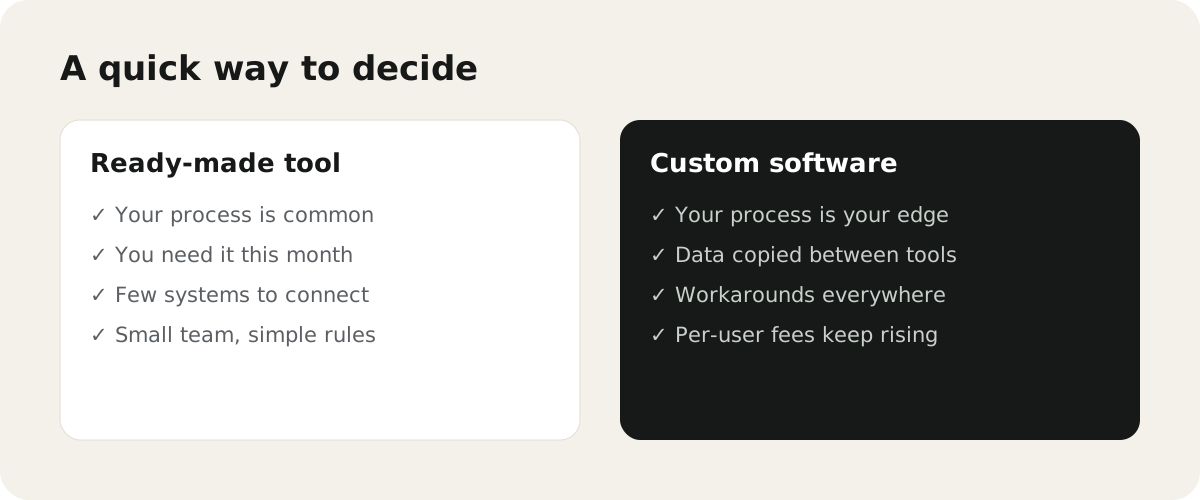
- Your process is common, like basic invoicing or email marketing.
- You need it working this month, not in a few months.
- You have few other systems it needs to connect to.
- Your team is small and the rules are simple.
- A good tool already does 80–90% of what you need.
In these cases, buying is faster and cheaper. Spend your time setting the tool up well.
When custom software makes more sense
- Your process is what makes you different. Forcing it into a generic tool would weaken it.
- Data is copied between tools. Staff type the same details into several systems.
- Workarounds are everywhere. Spreadsheets sit next to the "official" tool to fill the gaps.
- Per-user fees keep growing. As the team grows, the subscription costs more than a tool built for you.
- You need one view. Managers can't see the status of work without asking around.
Comparing the real costs
| Off-the-shelf | Custom software | |
|---|---|---|
| Start-up cost | Low | Higher, built in phases |
| Monthly cost | Subscription per user | Hosting and maintenance |
| Time to start | Days or weeks | Weeks or months |
| Fit with your workflow | You adapt to the tool | The tool adapts to you |
| Ownership | The vendor owns it | You own the code and data |
| Changes | Wait for the vendor | Build what you need |
The cheapest option today isn't always the cheapest over three years. Add up the subscription fees, the hours lost to workarounds, and the cost of errors.
For a clear breakdown of what building costs, read how much does custom software development cost?
The middle path: connect what you already have
You don't always have to choose one or the other. Often the best answer is to keep good ready-made tools and connect them, so data flows automatically between them. A small custom layer, like a dashboard or a client portal, can sit on top.
Our guide on how to identify a business workflow worth automating helps you find where to start.
A simple test before you decide
Answer these five questions:
- Can a ready-made tool do this without major workarounds?
- How many hours a week does the current way of working waste?
- Will the tool's cost grow a lot as the team grows?
- Is this process part of what customers choose you for?
- Do we need to own the data and the logic?
If most answers point to workarounds, wasted hours, and a process that matters, custom software is worth exploring.
See our custom software development service to plan a first version, or AI automation if connecting your current tools is enough.