A website is not finished when it goes live. Software needs updates, content gets out of date, and things break. Website maintenance cost depends on what your site is built with, how often it changes, and how much of the work you do yourself. This guide explains what maintenance includes, what drives the cost, and how to choose between doing it yourself and paying for website maintenance services.
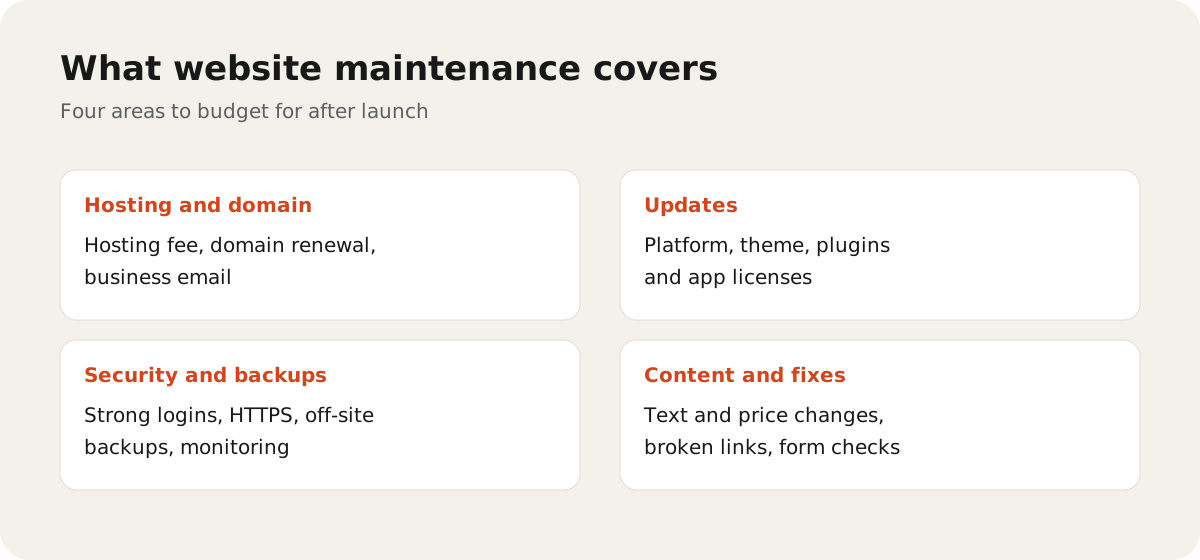
What website maintenance includes
Maintenance is the regular work that keeps a site safe, working, and up to date. It usually covers:
- Hosting and domain: keeping the site online and the domain renewed.
- Software updates: updating the platform, theme, and plugins or apps.
- Security and backups: protecting the site and being able to restore it.
- Monitoring: knowing quickly when the site is down or a form stops working.
- Content and small fixes: updating text, prices, and team pages, and fixing broken links.
Bigger changes, such as new pages, features, or a redesign, are usually priced separately.
What drives website maintenance cost
The same word, "maintenance", can mean very different amounts of work. The main factors are:
| Factor | Why it matters |
|---|---|
| Platform | Hosted platforms like Shopify or Squarespace handle core updates for you. A self-hosted WordPress site needs more hands-on care. |
| Plugins and apps | Each one needs updates and can conflict with others. More plugins mean more work. |
| Custom code | Custom features need a developer who understands them. |
| How often content changes | A site that changes weekly needs more time than one that changes twice a year. |
| Forms, bookings, and integrations | Anything that sends data elsewhere needs checking after updates. |
| Response time | Fast help with urgent problems costs more than "when we can". |
Be careful with fixed prices you see online. Ask what is included, how many hours are covered, and what happens when a task falls outside the plan.
Hosting, domains, and plugins
These are the running costs you pay whether or not anyone works on the site.
- Hosting: a monthly or yearly fee to your host. Managed hosting costs more but often includes backups, updates, and support.
- Domain: a yearly renewal with your registrar. Turn on auto-renew so it never lapses.
- Paid plugins, themes, and apps: many need a yearly license to keep getting updates and security fixes.
- Business email: usually a separate monthly fee per mailbox.
Takeaway: list every account and renewal date in one place, with who owns each login. Lost logins cause more trouble than most bugs.
Security and backups
Security is the part of maintenance you can't skip.
- Keep the platform, theme, and plugins updated. Outdated software is a common way sites get hacked.
- Use strong passwords and two-factor sign-in for every admin account.
- Remove old user accounts and plugins you no longer use.
- Keep automatic backups stored away from the site itself, and test that you can restore one.
- Make sure the site uses HTTPS and the security certificate renews on time.
Doing it yourself vs a maintenance retainer
Doing it yourself works when your site is simple, runs on a hosted platform, and someone on your team is comfortable making changes. The cost is mostly time. The risk is that updates and checks slip when you get busy.
A maintenance retainer with a developer or agency means someone else does the updates, backups, monitoring, and small fixes each month. It suits sites that are self-hosted, have custom features, or bring in leads and sales every day.
A middle option is to handle content yourself and pay only for technical updates and support.
Questions to ask a maintenance provider
- What is included each month, and what is billed extra?
- How many hours of changes are included, and do unused hours roll over?
- How fast do you respond to urgent problems?
- How often do you take backups, and where are they stored?
- Do you test updates before applying them to the live site?
- Will I keep full ownership of the site, hosting, and domain?
A website maintenance checklist
Monthly
- Update the platform, theme, and plugins or apps
- Check that backups ran and are stored off-site
- Test contact forms, checkout, and booking tools
- Fix broken links and outdated content
Every few months
- Remove unused plugins, apps, and user accounts
- Check page speed on mobile
- Restore a backup to test it
Every year
- Renew the domain, hosting, and paid licenses
- Review who has admin access
- Check that the site still meets your business goals
If you'd like someone to look after your site, see our web design and development service. Still planning a new site? Read how much a small business website costs, and for search visibility after launch, see our SEO services.