Ask ten people what a small business website costs and you'll hear ten different numbers. That's not because anyone is hiding the price. It's because "a website" can mean a one-page template or a full system that brings in leads every day. This guide breaks the cost into clear parts, so you can see what you're paying for and set a budget that fits.
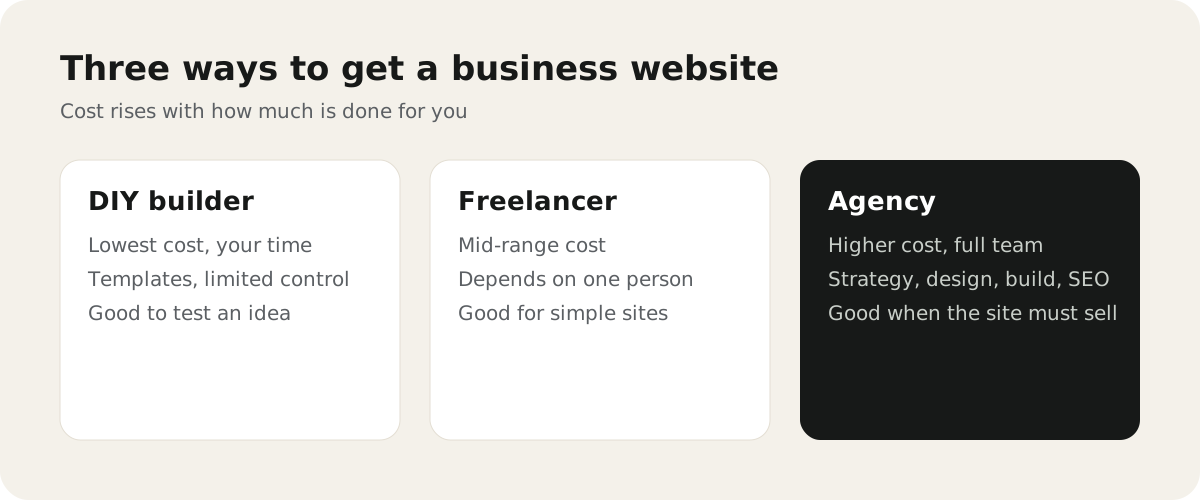
The three ways to get a website
1. Build it yourself with a website builder. Tools like Wix, Squarespace, or WordPress.com give you templates and hosting for a monthly fee. The main cost is your time. It works well for testing an idea or a very simple site.
2. Hire a freelancer. One person designs and builds the site. This can be good value for a simple brochure site. The risk is that everything depends on one person's skills and availability.
3. Work with an agency. A team handles planning, content structure, design, development, and SEO. It costs more, and it makes sense when the website is a main source of leads or sales.
What published price ranges say
Many guides publish typical ranges. For example, WebsiteSetup's 2026 guide puts a professionally built small business site in the low thousands of dollars, with simple template sites costing far less and complex builds costing much more.
Treat any range as a rough guide, not a quote. Your price depends on the points below.
What actually changes the price
- Number of pages and templates. Ten pages that share one layout cost less than ten pages that each need their own design.
- Content. Writing, photos, and video take real time. If you supply ready content, the project is faster.
- Custom design vs template. A template is quicker. Custom design fits your brand and your visitors better.
- Features. Booking, online payments, member areas, multiple languages, or connections to your CRM all add work.
- SEO and migration. Moving an old site without losing Google traffic needs redirects and careful checks. It's worth it, but it's part of the cost.
- Who edits it later. Setting up an easy-to-edit CMS and training your team takes some time up front and saves a lot later.
The running costs after launch
A website isn't a one-time purchase. Plan for:
| Cost | What it is |
|---|---|
| Domain | Your web address, renewed every year |
| Hosting | The server your site runs on. Some platforms include it |
| Business email | Usually a separate monthly fee per mailbox |
| Plugins or apps | Some features charge a monthly or yearly fee |
| Updates and fixes | Security updates, small changes, and new pages |
Small costs add up, so write them down before you choose a platform.
Cheap vs good value
A cheap site that doesn't bring in enquiries is expensive. A good-value site does three things well:
- Visitors understand what you do within a few seconds.
- Every page has one clear next step, like "Get a quote" or "Book a call".
- It loads fast and works well on a phone.
If a quote doesn't mention these, ask how the site will turn visitors into enquiries.
Questions to ask before you hire anyone
- What exactly is included, and what costs extra?
- Who writes the content and who supplies photos?
- Will we be able to edit pages ourselves?
- Who owns the site, the domain, and the hosting account?
- What happens after launch if something breaks?
- How will you protect our current Google rankings?
Clear answers to these tell you more than the price alone.
How to plan your budget
Start with what the website needs to achieve, not with the number of pages. Then list the must-have features, the content you already have, and your running costs.
If you'd like a clear plan and quote for your site, see our web design and development service. To budget for running costs after launch, read what website maintenance costs. Planning a redesign? Read what to prepare before redesigning your business website, and for growing traffic after launch, see our SEO services.