"How much does a Shopify store cost?" has two answers. There is the monthly cost of running the store, which Shopify publishes. And there is the one-time cost of setting it up, which depends on how much design and development you need. This guide covers both, so you can plan a realistic budget before you talk to anyone.
All plan prices below are Shopify's published US prices at the time of writing. Prices and rates can differ by country and change over time, so always confirm on Shopify's pricing page before you decide.
The monthly Shopify plan
Every store pays a Shopify subscription. The plan sets your monthly fee and your card processing rates.
| Plan | Price (billed yearly) | Price (billed monthly) | Best for |
|---|---|---|---|
| Basic | $29/month | $39/month | New stores and small catalogs |
| Grow | $79/month | $105/month | Growing stores with a small team |
| Advanced | $299/month | $399/month | Higher volume and more reporting |
| Plus | From $2,300/month (3-year term) | Large brands with complex needs |
Most new stores start on Basic and move up when sales and team size grow. Upgrading later is simple, so there is no need to pay for features you won't use yet.
Payment processing fees
Shopify charges a fee on every online card payment. With Shopify Payments, the published online rate starts at 2.9% + 30¢ on Basic and gets lower on higher plans, down to 2.25% + 30¢ on Plus.
If you use a payment provider other than Shopify Payments, Shopify adds an extra fee on top of that provider's own charges. It is 2% on Basic and falls on higher plans. For most stores, Shopify Payments is the cheaper choice where it is available.
Takeaway: at low sales, the plan fee matters most. As sales grow, processing fees become the bigger cost, and that is usually when a higher plan starts to pay for itself.
Theme cost
The theme controls how your store looks.
- Free themes from Shopify are well built and a good start for many stores.
- Paid themes in the Shopify Theme Store are a one-time purchase. Prices are shown on each theme's page.
- Custom theme work means a developer adapts a theme to your brand and products, or builds sections you can't get from a ready-made theme. This is a project cost, not a fixed price.
A paid theme is not automatically better. Pick the one whose layouts already match how your customers shop, so you need fewer changes.
Apps: the cost that creeps up
Apps add features such as reviews, subscriptions, upsells, and email. Many charge a monthly fee, and a few low-cost apps can quietly add up to more than your Shopify plan.
Apps also add scripts to your store, which can slow it down. Before you install one, ask:
- Does Shopify already do this without an app?
- Will we actually use it every month?
- What happens to our data if we remove it later?
Review your apps every few months and remove the ones you no longer use. Our guide to Shopify speed optimization shows how to check what they cost you in speed.
Domain, email, and other running costs
A few smaller costs sit around the store:
- Domain name: a yearly renewal, usually a small amount.
- Business email: Shopify doesn't include a full mailbox, so most stores pay for one separately.
- Email marketing: free to start with Shopify Email, with paid tiers as your list grows.
- Shipping and packaging: not a Shopify fee, but part of the true cost of every order.
Setup and design: doing it yourself vs hiring help
This is where costs vary the most.
Doing it yourself. You can launch with a free theme, your own photos, and a few products. The cost is mostly your time. It is a good choice to test an idea.
Hiring a freelancer or agency. You pay for planning, design, theme work, product setup, and launch checks. The price depends on:
- How many products and collections you have
- Whether you need custom sections or a fully custom theme
- Moving products, customers, and orders from another platform
- Connections to stock, shipping, or accounting systems
- Content: product descriptions, photos, and page copy
Because every store is different, be careful with any fixed "Shopify store price" you see online. Ask for a quote based on your catalog and what you need the store to do.
A simple budget checklist
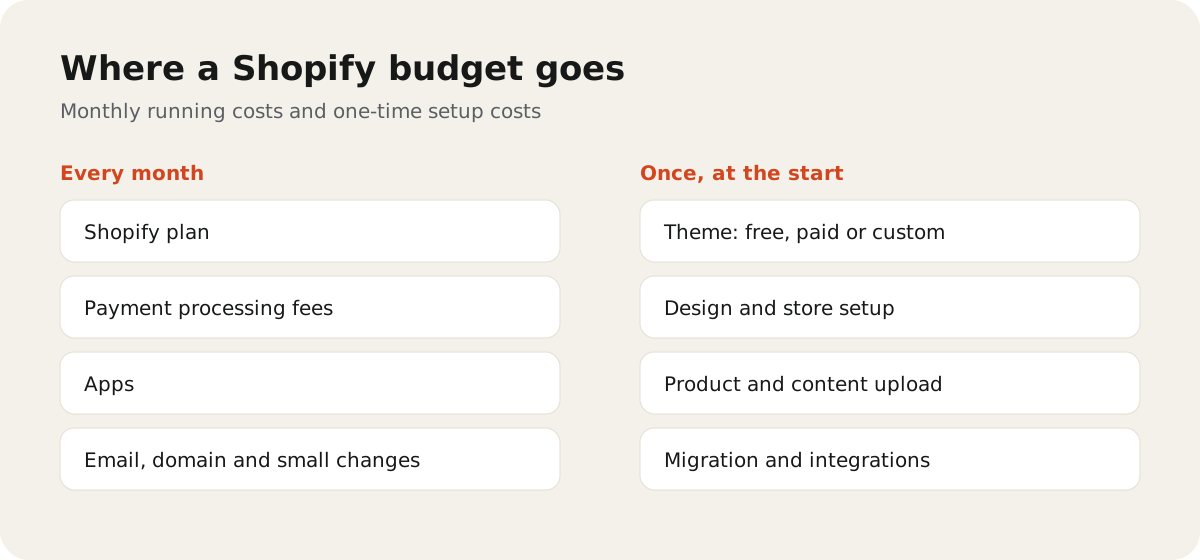
Before you start, write down a number for each line:
- Shopify plan (monthly or yearly)
- Expected processing fees at your expected sales
- Theme (free, paid, or custom work)
- Apps you really need, with their monthly fees
- Domain and business email
- Setup help, if you are not doing it yourself
- A small monthly amount for ongoing changes and fixes
If you'd like help planning or building your store, see our Shopify development service. Still choosing a platform? Compare Shopify vs WooCommerce. If you're moving from another platform, read how to migrate to Shopify without losing SEO first.